I'm here to help

Let's design your Showit website

Meet the webdesigner

FREE LIBRARY

Hestia

Studio

0

Showit tips & strategies

FREE LIBRARYshop the collection

Hestia

Studio

0

I'm here to help

Let's design your Showit website

Meet the webdesigner

Showit tips & strategies

Showit FAQ Canvas Kit | 6 Stunning Exclusive Layouts

Showit

Price range: $49.00 through $139.00

(1 avis)

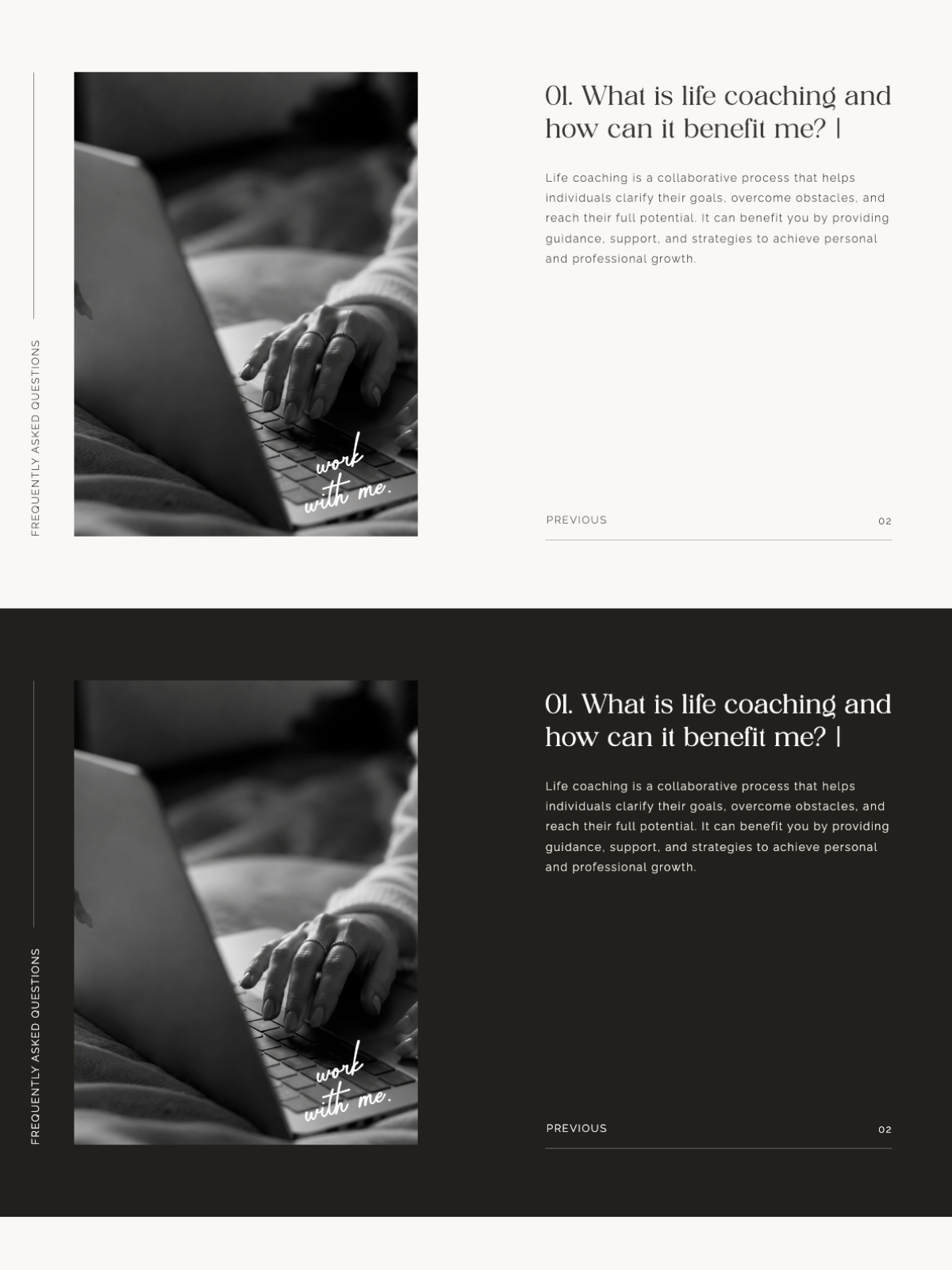
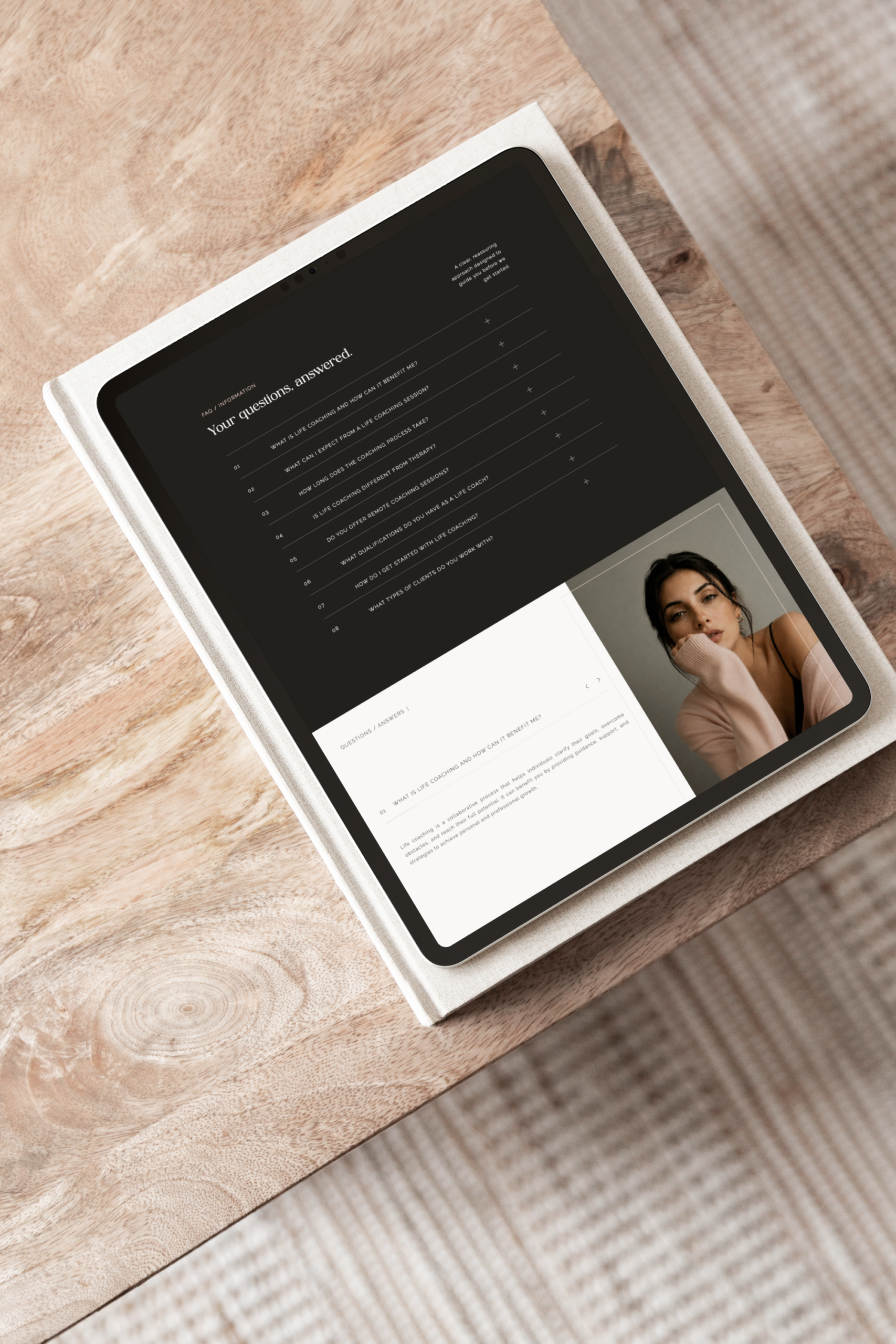
The Showit FAQ Canvas Kit makes handling objections a lot more engaging and modern. Forget about lists. With six interactive layouts you can give clear answers that show up step by step and keep your design looking neat. The Showit FAQ Canvas Kit is a way to build trust and make sales, in style and it saves you a lot of time on designing.

  • Six designer styles: From smooth accordions to clean two‑column grids — pick what fits your brand.
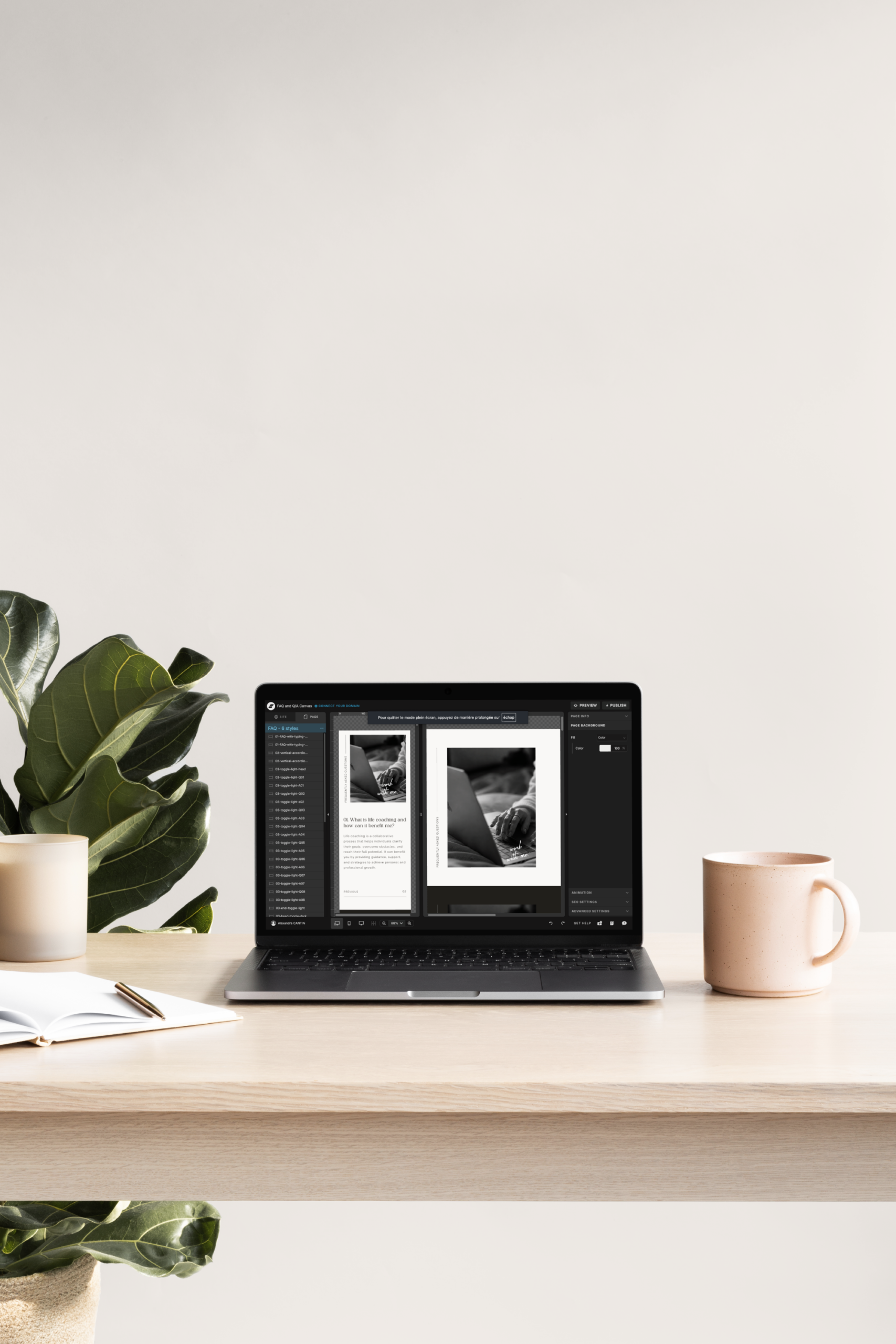
  • Sets up in seconds: Just import with the Showit Share Key and you’re done.
  • Looks great on every device: Fully responsive, because your clients are probably on their phones.
  • Built to convert: More dwell time, more authority, more clients saying “yes.”

Perfect for: Photographers, Coaches, and Showit Designers who want their FAQs to actually work for them.

Which license should I choose?
Live View
Categories: ,

The Ultimate Showit FAQ Canvas Kit: 6 Strategic Layouts

Step-by-Step FAQ (Numbered Navigation)
High-end clients crave clarity. This numbered layout guides them through your process one step at a time, building confidence with every click. It’s perfect for service providers with complex offers or premium packages. The numbered navigation reduces decision fatigue (you know that moment when a visitor gets overwhelmed and just leaves). And here’s the SEO bonus: search engines love organized content. This Showit FAQ Canvas Kit layout turns pedagogy into your secret sales weapon.
Vertical Accordion Showit Layout
Minimalism isn’t just pretty, it’s respectful. This vertical accordion gives your content room to breathe. On mobile (where most of your clients probably are), the impact is immediate: they only see what they choose to open. No overwhelming walls of text, no frantic pinching and zooming. Just clean, intentional spacing that feels effortlessly luxurious. It’s a core piece of the Showit FAQ Canvas Kit for brands who believe that less is always more.
Progress Bar & Navigation Arrows
Reading an FAQ shouldn’t feel like homework. This layout adds a visual progress bar and navigation arrows, turning your FAQ into a journey. It’s especially effective on sales pages where every second of attention counts. Visitors explore deeper, they stay longer, and Google notices. That “dwell time” metric? It climbs. This Showit add-on (part of the Showit FAQ Canvas Kit) makes high-level strategy feel effortless and fun.
Revealing Words Animation Effect
Want to leave a lasting impression? This one’s for you. The “Word-Reveal” animation adds that bespoke, high-end touch usually reserved for custom-coded sites with five-figure budgets. The Showit FAQ Canvas Kit brings that luxury aesthetic to everyone. These micro-interactions aren’t just eye candy, they signal quality and attention to detail. Trust builds, perception lifts. And because it’s lightweight, your loading speeds stay fast. Fancy doesn’t have to mean slow.
Efficient Two-Column FAQ Grid Layout
Got a lot of ground to cover? This two-column grid is your best friend. Desktop users get a broad overview, scanning quickly and finding answers faster. It’s a favorite for help centers, tech-heavy services, or boutique shops with detailed offerings. Less time searching means more time converting. Clean data architecture also helps AI search engines recognize your expertise as a reliable source within the Showit FAQ Canvas Kit ecosystem. Smart organization, smarter results.
Classic FAQ Toggle Accordion
Sometimes the classic is classic for a reason. This toggle layout is what visitors already know and trust. It’s smooth, intuitive, frictionless. For SEO, it’s a quiet workhorse: each toggle holds structured text that Google loves to crawl and rank for niche queries. And for your business? It resolves final objections right when they matter most, just before purchase. Browsers become buyers. It’s the essential foundation of the Showit FAQ Canvas Kit, and honestly, it just works.

The Ultimate Showit FAQ Canvas Kit: 6 Strategic Layouts

Step-by-Step FAQ (Numbered Navigation)
High-end clients crave clarity. This numbered layout guides them through your process one step at a time, building confidence with every click. It’s perfect for service providers with complex offers or premium packages. The numbered navigation reduces decision fatigue (you know that moment when a visitor gets overwhelmed and just leaves). And here’s the SEO bonus: search engines love organized content. This Showit FAQ Canvas Kit layout turns pedagogy into your secret sales weapon.
Vertical Accordion Showit Layout
Minimalism isn’t just pretty, it’s respectful. This vertical accordion gives your content room to breathe. On mobile (where most of your clients probably are), the impact is immediate: they only see what they choose to open. No overwhelming walls of text, no frantic pinching and zooming. Just clean, intentional spacing that feels effortlessly luxurious. It’s a core piece of the Showit FAQ Canvas Kit for brands who believe that less is always more.
Progress Bar & Navigation Arrows
Reading an FAQ shouldn’t feel like homework. This layout adds a visual progress bar and navigation arrows, turning your FAQ into a journey. It’s especially effective on sales pages where every second of attention counts. Visitors explore deeper, they stay longer, and Google notices. That “dwell time” metric? It climbs. This Showit add-on (part of the Showit FAQ Canvas Kit) makes high-level strategy feel effortless and fun.
Revealing Words Animation Effect
Want to leave a lasting impression? This one’s for you. The “Word-Reveal” animation adds that bespoke, high-end touch usually reserved for custom-coded sites with five-figure budgets. The Showit FAQ Canvas Kit brings that luxury aesthetic to everyone. These micro-interactions aren’t just eye candy, they signal quality and attention to detail. Trust builds, perception lifts. And because it’s lightweight, your loading speeds stay fast. Fancy doesn’t have to mean slow.
Efficient Two-Column FAQ Grid Layout
Got a lot of ground to cover? This two-column grid is your best friend. Desktop users get a broad overview, scanning quickly and finding answers faster. It’s a favorite for help centers, tech-heavy services, or boutique shops with detailed offerings. Less time searching means more time converting. Clean data architecture also helps AI search engines recognize your expertise as a reliable source within the Showit FAQ Canvas Kit ecosystem. Smart organization, smarter results.
Classic FAQ Toggle Accordion
Sometimes the classic is classic for a reason. This toggle layout is what visitors already know and trust. It’s smooth, intuitive, frictionless. For SEO, it’s a quiet workhorse: each toggle holds structured text that Google loves to crawl and rank for niche queries. And for your business? It resolves final objections right when they matter most, just before purchase. Browsers become buyers. It’s the essential foundation of the Showit FAQ Canvas Kit, and honestly, it just works.


Need support? Just reach out. I'm always happy to help every step of the way! Contact me.

05. Need help?

Personalize every detail to match your brand and vision, then hit publish to give your visitors an enhanced experience.

04. make i yours

Follow our simple guides to import your design or code. No technical skills required.

03. EASY INSTALL

Download your assets—guide and license included—instantly on the checkout page.

02. Instant Delivery

Choose the license that fits your project and complete your secure purchase in just seconds.

01. SELECT YOUR LICENSE

How it works

So good

2025-08-25

Love a good time saving product and this one is so good.

Avatar for Lindsey
Lindsey

Response from Hestia Studio

I’m really happy to have been able to save you time. Thank you again for your feedback, you just made my day! 🙂

Client Love

Step-by-step guides included. Need help with setup or customization? Response within 24h. No question is too small.

24h Support That Cares

Your files are ready and quietly waiting. Available 24/7 as soon as your payment is confirmed. Download and return to what matters: creating.

Instant Download

Products stay updated for reliability and tech trends, adapting to platform changes and feedback — no extra fees.

Lifetime Updates Future-Proof

Designed to match your brand.
Easily customizable, so it feels truly yours. No technical skills required, just your creativity to make it shine.

100% Customizable

Every detail is crafted with care — for mobile, tablet, and desktop, so your visitors can explore easily, and stay a little longer.

Mobile & User-Friendly Design

Built to save you time: Every product integrates instantly with Showit, Squarespace, or Canva, so you can launch faster without compromising quality.

Easy Editing & Integration

1

Yes! All my templates and add-ons are designed to be compatible with the latest versions of Showit, Squarespace, and WooCommerce. I regularly test and update them to ensure they work perfectly with each new platform release.

Do your templates and add-ons work with the latest versions of platforms?

2

Yes! I design all my templates and add-ons to be as easy to customize as possible. You can change colors, fonts, images, and layouts without worrying about technical details, so your creativity can shine freely.

How customizable are these templates and add-ons ? Can I edit colors, fonts, and layouts?

3

If you purchase a commercial license when buying a template or add-on, you can use it for unlimited client projects. The commercial license is lifetime and unlimited.

What’s the licensing policy? Can I use these templates for multiple client projects?

4

Yes! I provide support for any issues you may encounter during installation or customization. I’m here to help you get your template or add-on working perfectly, so you can focus on creating your website without stress.

Do you provide support if I encounter issues during installation or customization?

5

All fonts used in our templates are from Creative Fabrica. To use them legally, you must purchase your own license on their platform using the links provided in the template. Alternatively, you can swap them for free Google Fonts.

Are the fonts included, and do I need to purchase a separate license?

6

Yes! If you select the "I install and customize it for you" option at checkout, I will personally handle the setup for you. This includes installing the template or add-on into your Showit account and adjusting the colors, fonts, and content to perfectly match your brand.

Can you install and customize the template or add-on for me?

7

Due to the digital nature of our products, all sales are generally final. A refund will only be considered if a proven technical issue is identified that makes the product partially unusable and we are unable to resolve it. Please ensure you review all product details before purchasing.

Do you offer refunds on digital products?

8

Yes, an active subscription is required. Choose your plan based on your needs (static site vs. blog) and ensure it supports custom code if needed. Bonus: Get one month free by signing up via my partner link here.

Do I need a specific Showit subscription to use these?

Showit FAQ Canvas Kit | 6 Stunning Exclusive Layouts
Live View