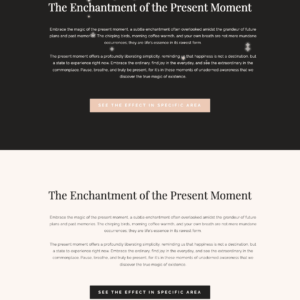
Animated Magical Stars Trail Interactive Mouse Effects

Price range: $29.00 through $69.00
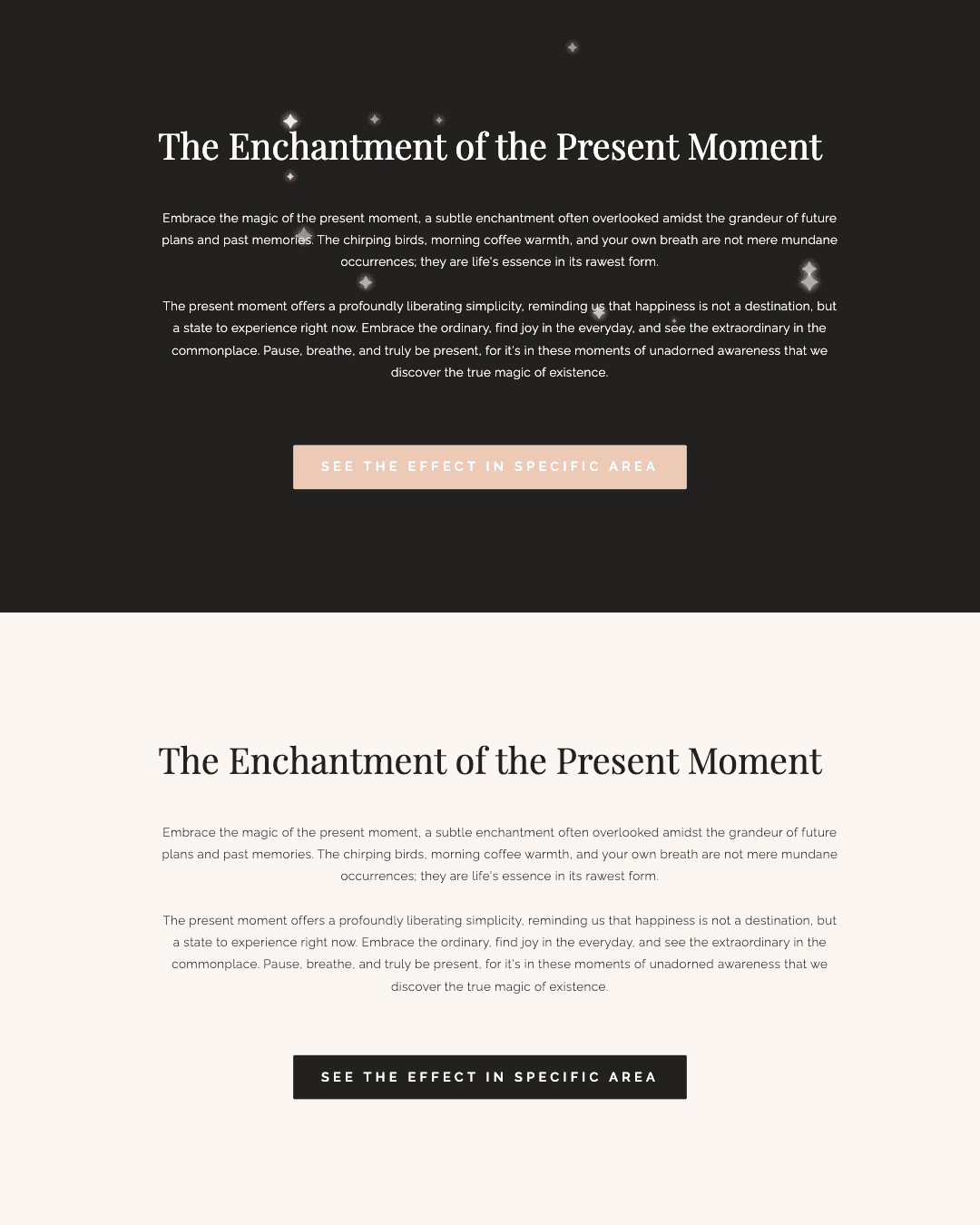
Add a touch of pure magic to your Showit designs. This enchanting effect creates a trail of luminous stars that elegantly follows the visitor’s cursor, turning every movement into a delightful experience.
Fully customizable to match any brand aesthetic, it’s the perfect way to create a memorable and sophisticated interactive element.
Key Features & Customization Options
Application area
Change the star symbol
star.textContent = '✦') for any symbol or emoji, like ★, ✧, or ✨.Star color palette
colors array in the JavaScript to match your brand’s color scheme.Star size variation
Math.random() * 20 + 6) to control the size range for stars.Star opacity (brightness)
Math.random() * 0.5 + 0.5) to make stars subtler or brighter.Star glow/luminosity
text-shadow properties to increase or decrease the glow around each star for a more luminous effect.Number of stars per interaction
12) to control how many stars appear with each mouse or touch event.Animation duration
setTimeout values to decide how long stars remain visible before fading.Effect duplication
star2, star3, etc.).Mobile-friendly
Key Features & Customization Options
Application area
You can apply the star effect to a specific section of your Showit site by adding the code to an “embed code” widget, or to the entire page by placing it in the site’s Advanced Settings (Custom Head HTML).
Change the star symbol
Swap out the star character in the script (star.textContent = '✦') for any symbol or emoji, like ★, ✧, or ✨.
Star color palette
Edit the colors array in the JavaScript to match your brand’s color scheme.
Star size variation
Adjust the size formula (Math.random() * 20 + 6) to control the size range for stars.
Star opacity (brightness)
Tweak the opacity values (Math.random() * 0.5 + 0.5) to make stars subtler or brighter.
Star glow/luminosity
Customize the CSS text-shadow properties to increase or decrease the glow around each star for a more luminous effect.
Number of stars per interaction
Change the number in the JavaScript loop (default 12) to control how many stars appear with each mouse or touch event.
Animation duration
Adjust the setTimeout values to decide how long stars remain visible before fading.
Effect duplication
For multiple, independent star effects on one page, duplicate the HTML, CSS, and JS, and rename all IDs, classes, and variable names (like star2, star3, etc.).
Mobile-friendly
The effect works on both desktop (mouse) and mobile (touch), with logic to avoid interfering with scrolling on touch devices.
Key Features & Customization Options
Application area
Change the star symbol
star.textContent = '✦') for any symbol or emoji, like ★, ✧, or ✨.Star color palette
colors array in the JavaScript to match your brand’s color scheme.Star size variation
Math.random() * 20 + 6) to control the size range for stars.Star opacity (brightness)
Math.random() * 0.5 + 0.5) to make stars subtler or brighter.Star glow/luminosity
text-shadow properties to increase or decrease the glow around each star for a more luminous effect.Number of stars per interaction
12) to control how many stars appear with each mouse or touch event.Animation duration
setTimeout values to decide how long stars remain visible before fading.Effect duplication
star2, star3, etc.).Mobile-friendly

Need support? Just reach out. I'm always happy to help every step of the way! Contact me.
05. Need help?
Personalize every detail to match your brand and vision, then hit publish to give your visitors an enhanced experience.
04. make i yours
Follow our simple guides to import your design or code. No technical skills required.
03. EASY INSTALL
Download your assets—guide and license included—instantly on the checkout page.
02. Instant Delivery
Choose the license that fits your project and complete your secure purchase in just seconds.
01. SELECT YOUR LICENSE
How it works
I am totally obsessed with this effect
I am totally obsessed with this effect. Seller even walked me through me in installing. So appreciative!

Response from Hestia Studio
Thank you for your feedback, it is very valuable for me. I’m glad you are satisfied with the product 🙂
Client Love
Step-by-step guides included. Need help with setup or customization? Response within 24h. No question is too small.
24h Support That Cares
Your files are ready and quietly waiting. Available 24/7 as soon as your payment is confirmed. Download and return to what matters: creating.
Instant Download
Products stay updated for reliability and tech trends, adapting to platform changes and feedback — no extra fees.
Lifetime Updates Future-Proof
Designed to match your brand.
Easily customizable, so it feels truly yours. No technical skills required, just your creativity to make it shine.
100% Customizable
Every detail is crafted with care — for mobile, tablet, and desktop, so your visitors can explore easily, and stay a little longer.
Mobile & User-Friendly Design
Built to save you time: Every product integrates instantly with Showit, Squarespace, or Canva, so you can launch faster without compromising quality.
Easy Editing & Integration
Yes! I design all my templates and add-ons to be as easy to customize as possible. You can change colors, fonts, images, and layouts without worrying about technical details, so your creativity can shine freely.
How customizable are these templates and add-ons ? Can I edit colors, fonts, and layouts?
Yes! I provide support for any issues you may encounter during installation or customization. I’m here to help you get your template or add-on working perfectly, so you can focus on creating your website without stress.
Do you provide support if I encounter issues during installation or customization?
All fonts used in our templates are from Creative Fabrica. To use them legally, you must purchase your own license on their platform using the links provided in the template. Alternatively, you can swap them for free Google Fonts.
Are the fonts included, and do I need to purchase a separate license?
Yes! If you select the "I install and customize it for you" option at checkout, I will personally handle the setup for you. This includes installing the template or add-on into your Showit account and adjusting the colors, fonts, and content to perfectly match your brand.
Can you install and customize the template or add-on for me?
Due to the digital nature of our products, all sales are generally final. A refund will only be considered if a proven technical issue is identified that makes the product partially unusable and we are unable to resolve it. Please ensure you review all product details before purchasing.
Do you offer refunds on digital products?
Yes, an active subscription is required. Choose your plan based on your needs (static site vs. blog) and ensure it supports custom code if needed. Bonus: Get one month free by signing up via my partner link here.